 WorkFlawless
SharePoint
WorkFlawless
SharePoint
Microsoft SharePoint integration
Most of your reference material already lives in SharePoint. The problem is that a procedure in one place and the file it depends on in another means someone always has to go looking in different places. Connect SharePoint to WorkFlawless and you can embed documents, spreadsheets, slides, and PDFs straight into any SOP step, so the file shows up the moment the step calls for it.
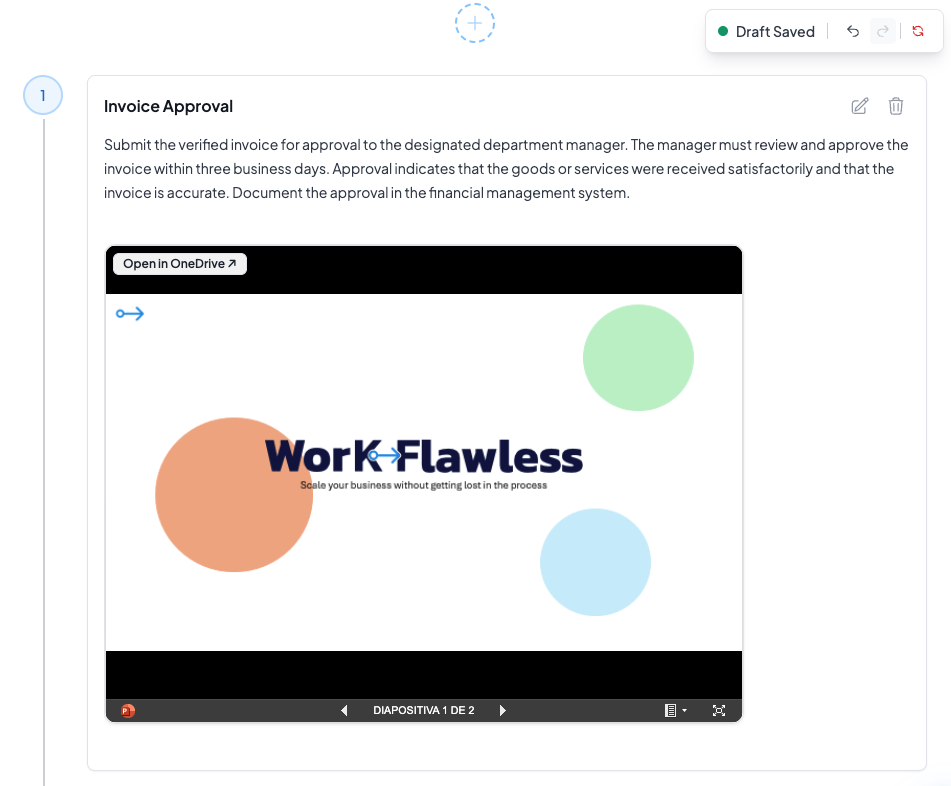
Bring your SharePoint document library into your procedures
-
Embed your SharePoint files into any step
Pull a file from SharePoint into the exact SOP step that references it, whether that's a policy document, a reporting template, or a deck your team works from.
-
Built for Microsoft 365 teams
If your company already runs on SharePoint, your procedures connect to the document library your team trusts, with no need to migrate files or rebuild what you have.
-
One file, one place
Reference the file from its original source instead of pasting a copy into the procedure, so nobody ends up working from a stale download.
Connect Microsoft SharePoint to WorkFlawless in 3 steps
-
1
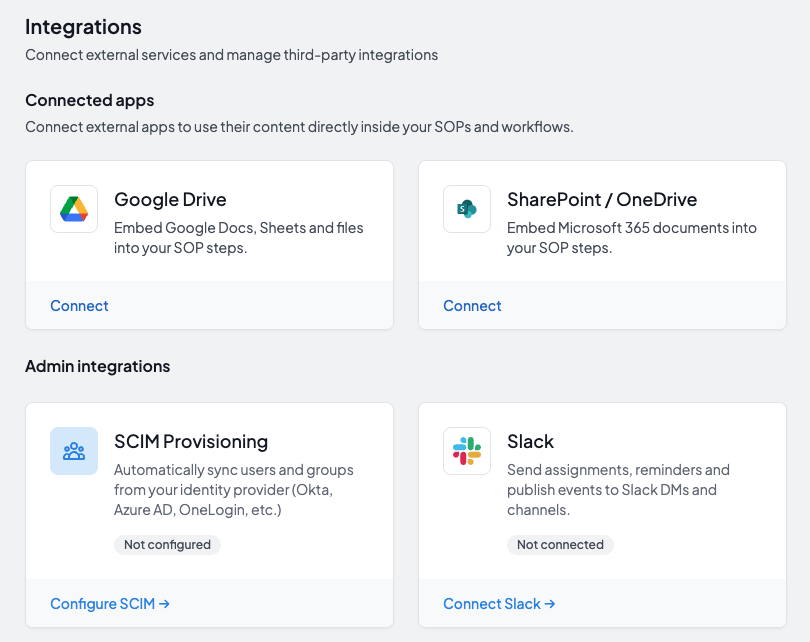
Authorize SharePoint
Sign in with your Microsoft account and give WorkFlawless permission to reach your SharePoint files.
-
2
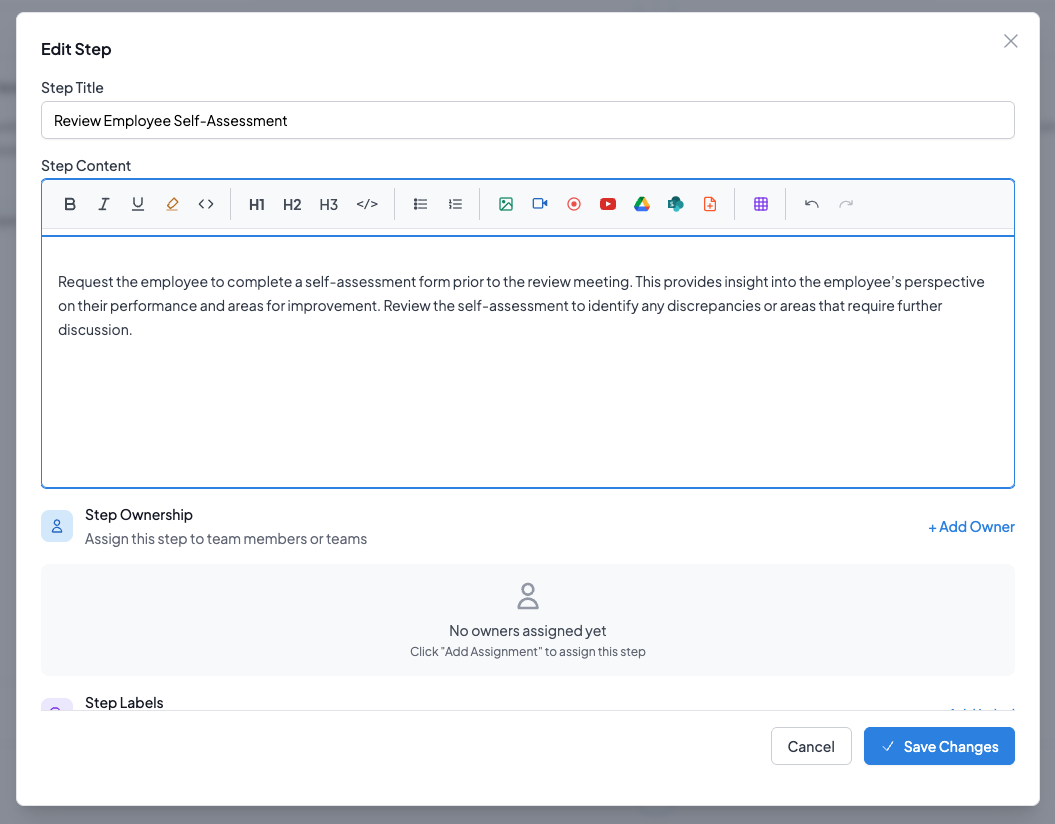
Find the SOP step
As you build an SOP in WorkFlawless, go to the step where a supporting file belongs.
-
3
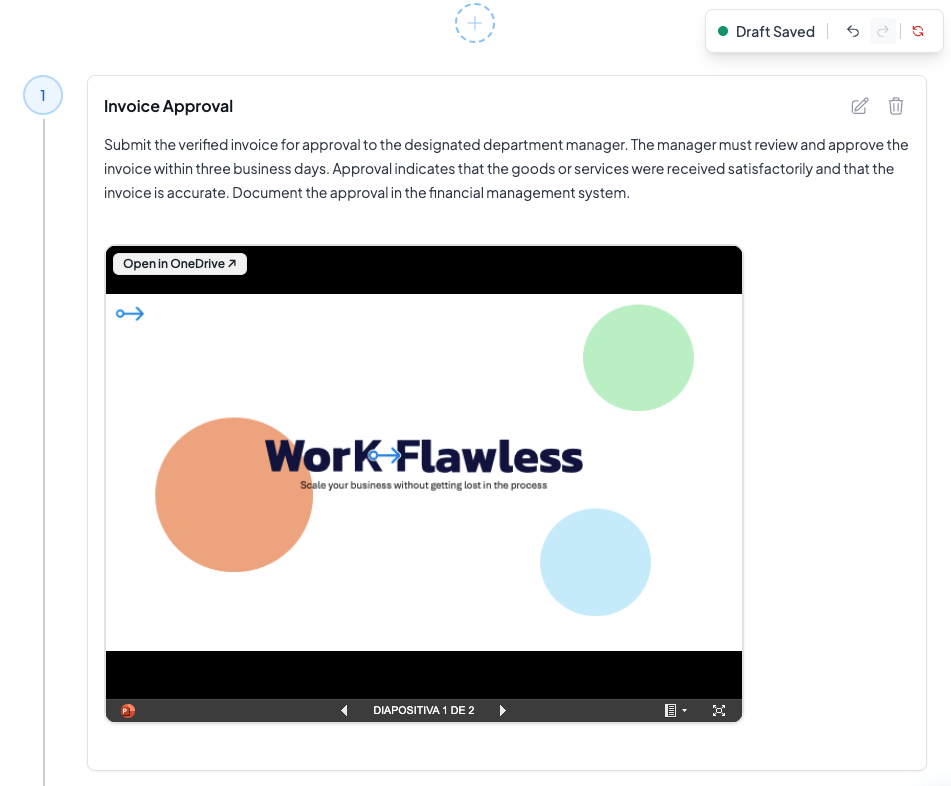
Embed and publish
Choose the file from SharePoint, and it renders right inside the step for everyone who reads it (the document viewing permissions are respected).
Other integrations
Connect WorkFlawless with more of the tools your team relies on
Google Drive
Embed Slides, Sheets and documents from Google Drive into your SOPs in one click
Explore