 WorkFlawless
 SCIM
SCIM
SCIM provisioning integration
Stop creating and removing WorkFlawless accounts by hand. With SCIM provisioning, the team members who join your company get access automatically, and the people who leave lose it the moment their identity is deactivated upstream. Your team directory stays in sync with the system that already governs it, so nobody is manually adding starters or chasing down accounts that should have been closed.
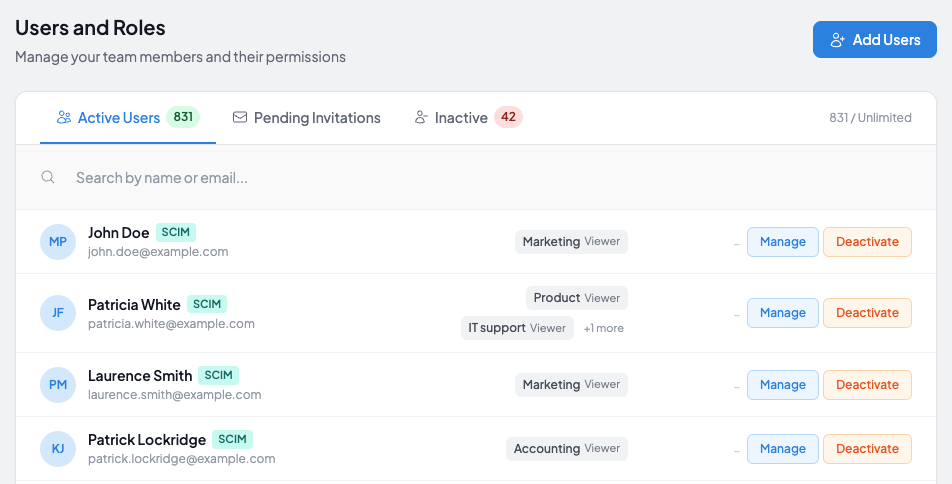
Let your identity provider manage who gets access
-
Automatic provisioning
When someone is added in your identity provider, their WorkFlawless account is created for them, so they have access on day one without an admin setting them up and without chasing invitation links.
-
Automatic deprovisioning
When someone leaves and their identity is deactivated, their WorkFlawless access is revoked, which closes the security gap that lingering accounts leave behind.
-
One directory, always current
Your WorkFlawless user list mirrors what lives in your identity provider, so the people in your account are the people who are supposed to be there, with no manual cleanup.
Connect WorkFlawless to your identity provider
-
1
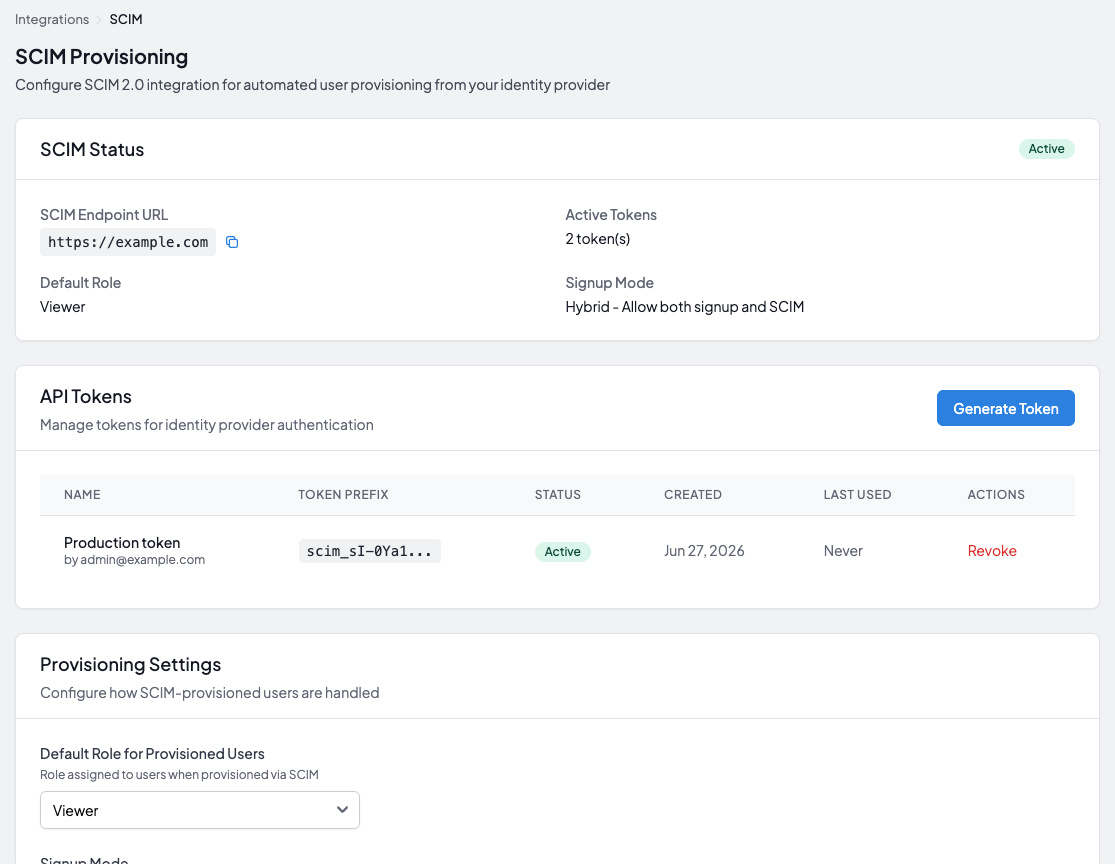
Connect WorkFlawless to your identity provider
In your identity provider's admin console, such as Microsoft Entra, Okta, or OneLogin, add WorkFlawless and authorize the provisioning connection.
-
2
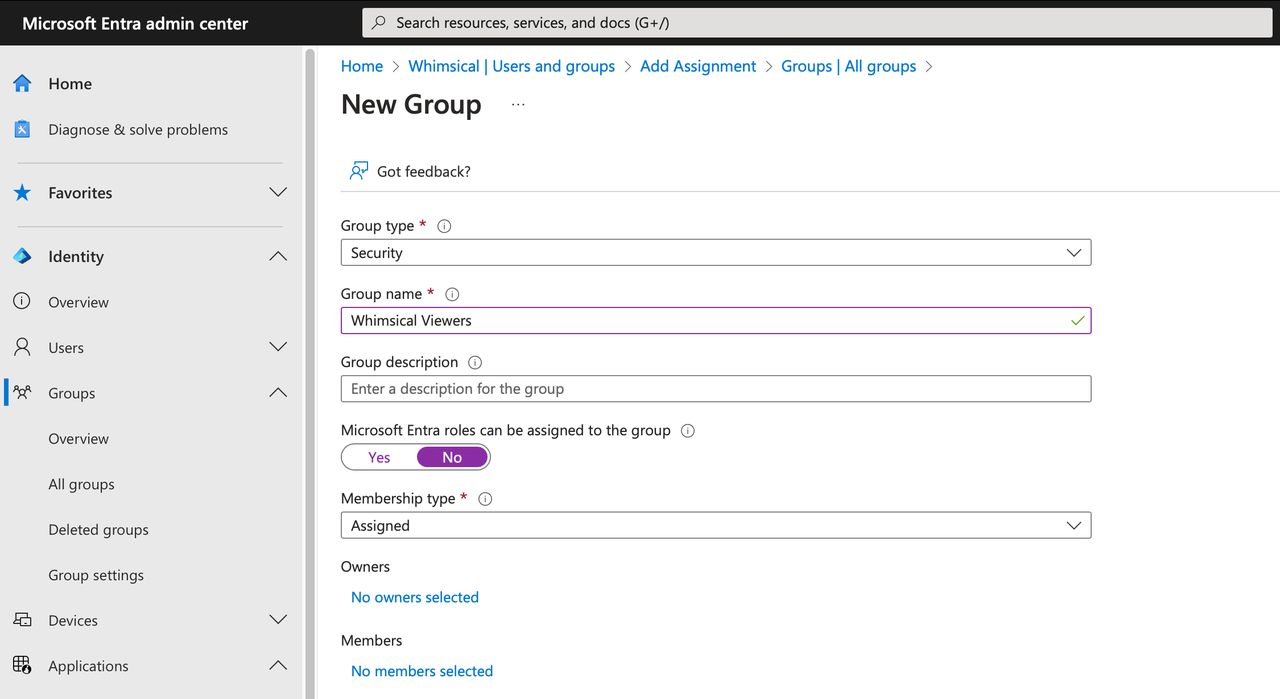
Map your users
Choose which users or groups should have access to WorkFlawless.
-
3
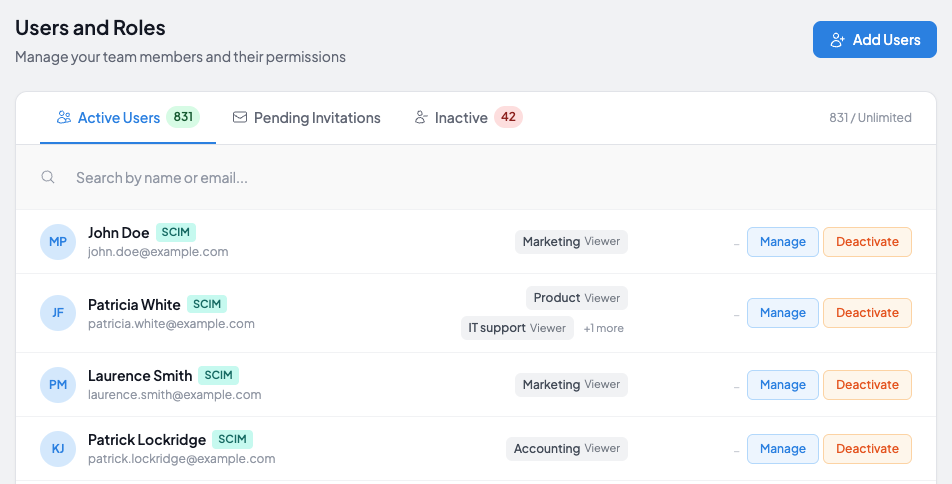
Turn provisioning on
Enable provisioning, and your directory keeps WorkFlawless in sync from that moment on.
Other integrations
Connect WorkFlawless with more of the tools your team relies on
Google Drive
Embed Slides, Sheets and documents from Google Drive into your SOPs in one click
Explore