 WorkFlawless
 Google Drive
Google Drive integration
Put the files your team needs right inside the SOP steps that reference them. Connect Google Drive to WorkFlawless to embed documents, spreadsheets, slides, and PDFs directly into any SOP step so the supporting material lives exactly where the process lives instead of sitting in a folder someone has to go find.
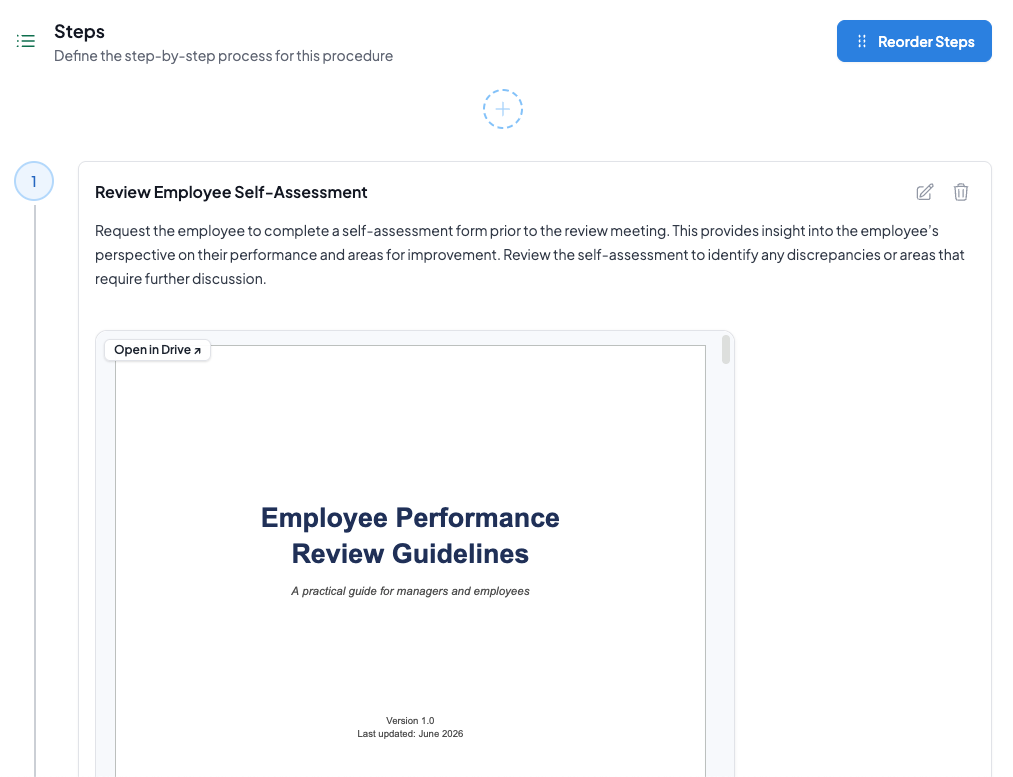
Your Google Drive files, right inside your SOPs
-
Embed files into any SOP step
Drop a Google Drive document, spreadsheet, slide deck, or PDF straight into an SOP step, so the reference sits next to the instruction that needs it.
-
Keep one source of truth
Point to the file that already lives in your Drive instead of copying it into the procedure, so the version in your SOP is the version in your Drive.
-
No tab switching
Your team reads the step and sees the supporting file in the same place, without hunting through folders or losing their place.
Connect to Google Drive to WorkFlawless in 3 steps
-
1
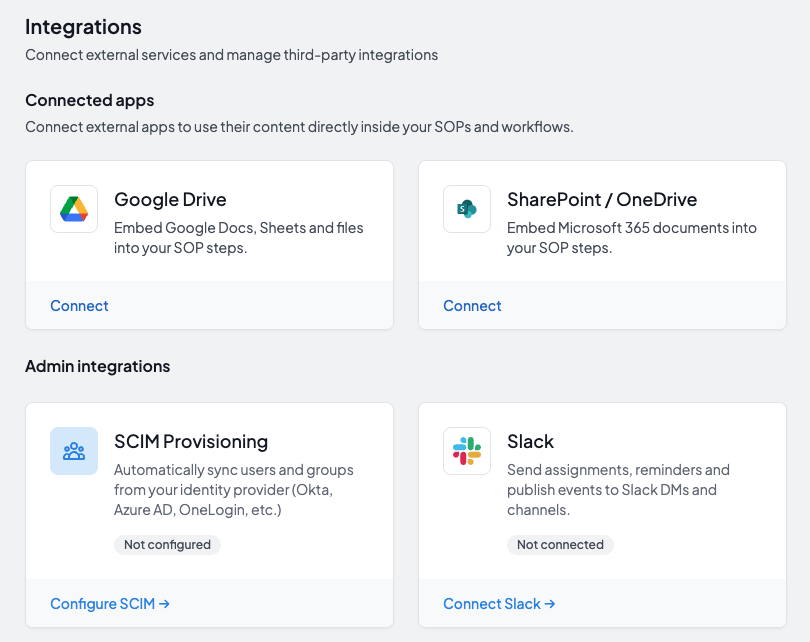
Connect Google Drive
Sign in and authorize WorkFlawless to access your Google Drive.
-
2
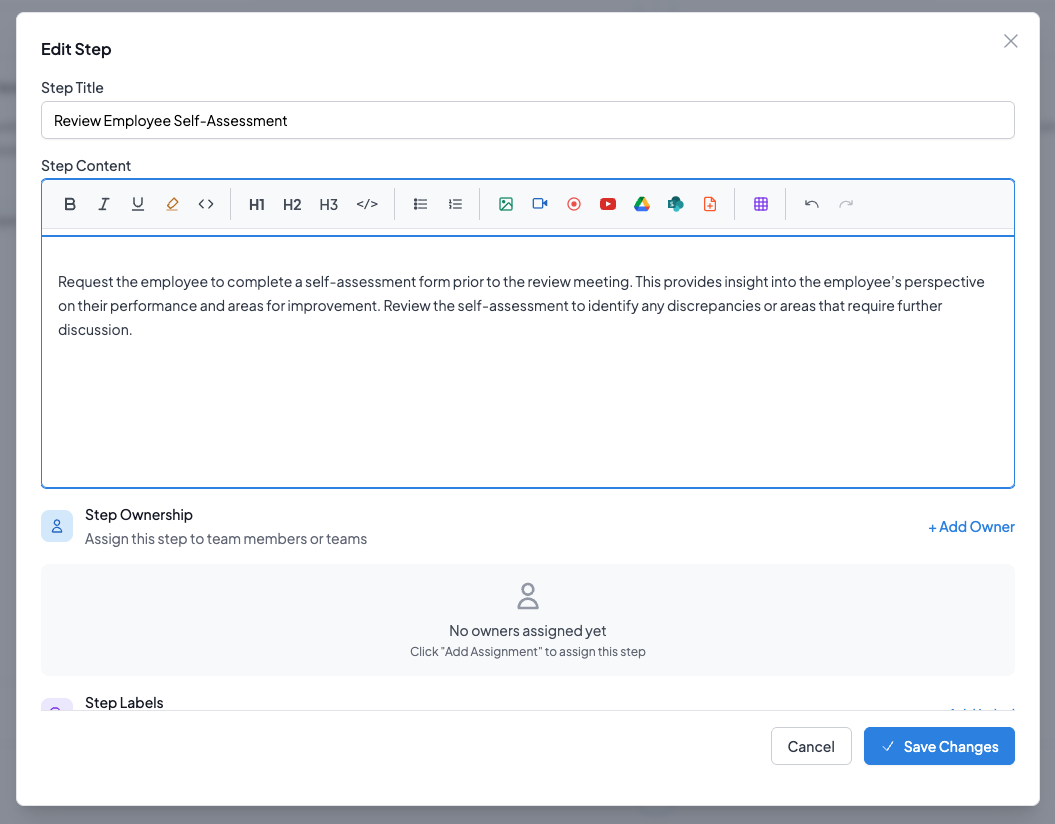
Open an SOP step
While building an SOP, choose the step where the file belongs.
-
3
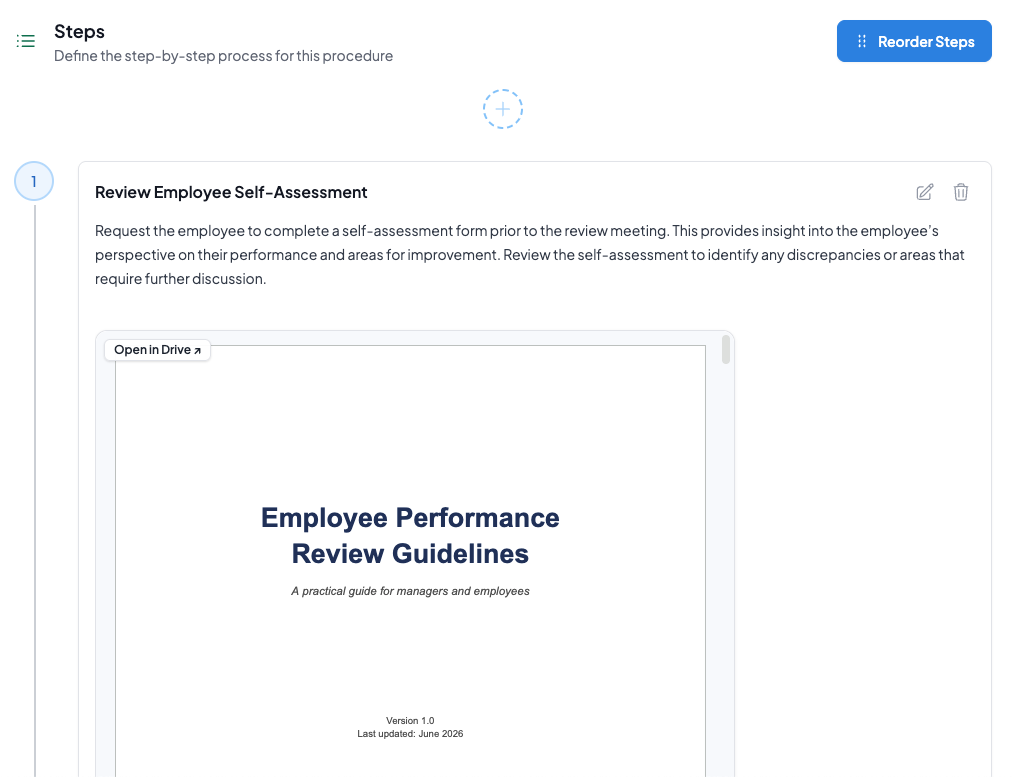
Embed the file
Pick the document from your Drive and it appears right inside the step.
Other integrations
Connect WorkFlawless with more of the tools your team relies on
