

WorkFlawless vs Notion
Plenty of teams document their processes in Notion and hit the same wall. WorkFlawless is purpose-built for SOPs, so your procedures stay current and your team actually follows them.
Why Notion is not ideal for process documentation
Notion is excellent for meeting notes, wikis, and project boards, and the blank canvas is the whole point. That same blank canvas is why it struggles with procedures. Every team invents its own structure, so SOPs look different in every department and no one can tell which version is current.
WorkFlawless removes that design burden. Procedures follow a consistent format, link to the workflow they belong to, and run step by step instead of sitting on a wiki page everyone ignores. Many teams keep both: Notion for knowledge, WorkFlawless for the processes that knowledge should drive.
See the difference
Mapping a process
In WorkFlawless a process is a visual workflow flowchart you can take in at a glance, with every step and branch laid out in front of you. In Notion the same process is a page of headings and paragraphs you have to read end to end, because there is no native way to see how the steps connect.
A visual workflow for any process built in minutes
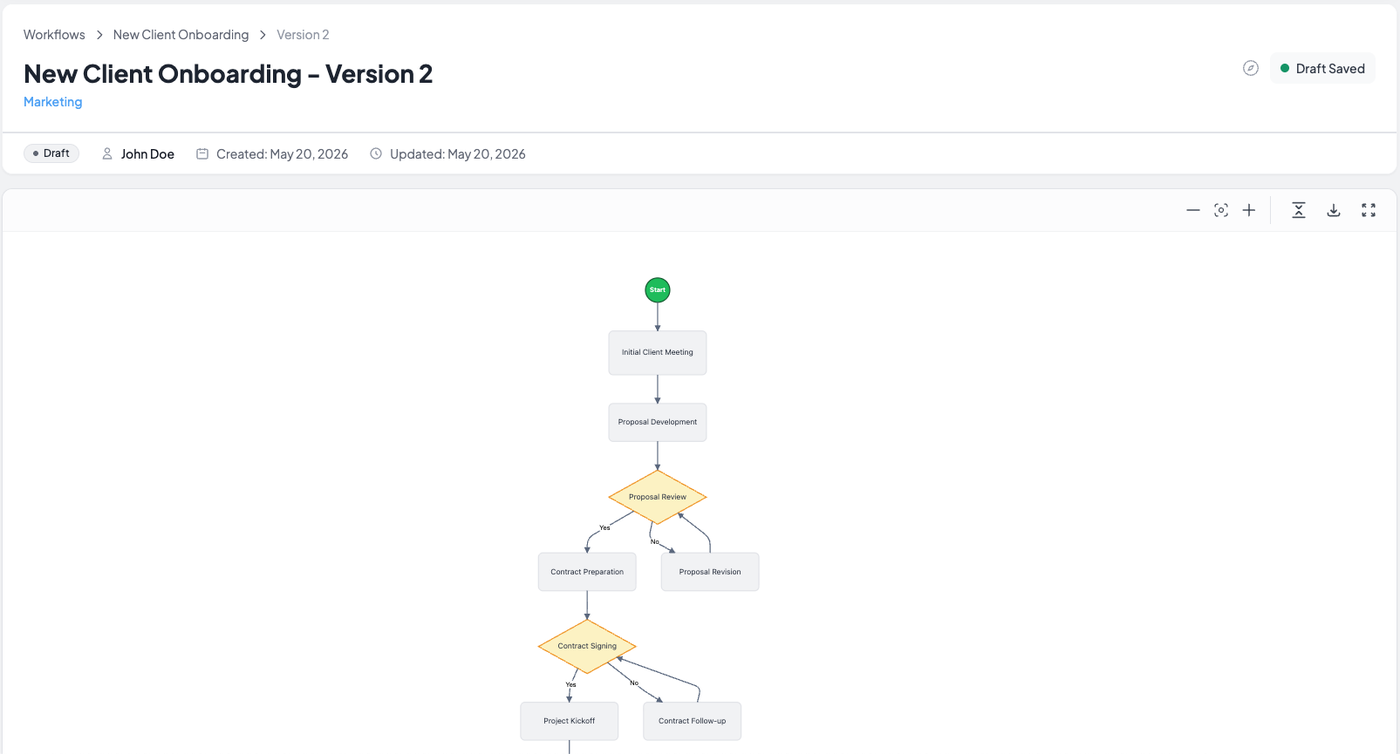
- See the whole process in one view, including branches and decision points
- Diagram and written steps live together as one source of truth
- Gaps and bottlenecks are obvious because the flow is visible
- High-level view for senior management and detailed SOPs for ops. teams
open any SOP or how-to page in your workspace and capture it as a long text document. If you embed Lucidchart or Miro fo
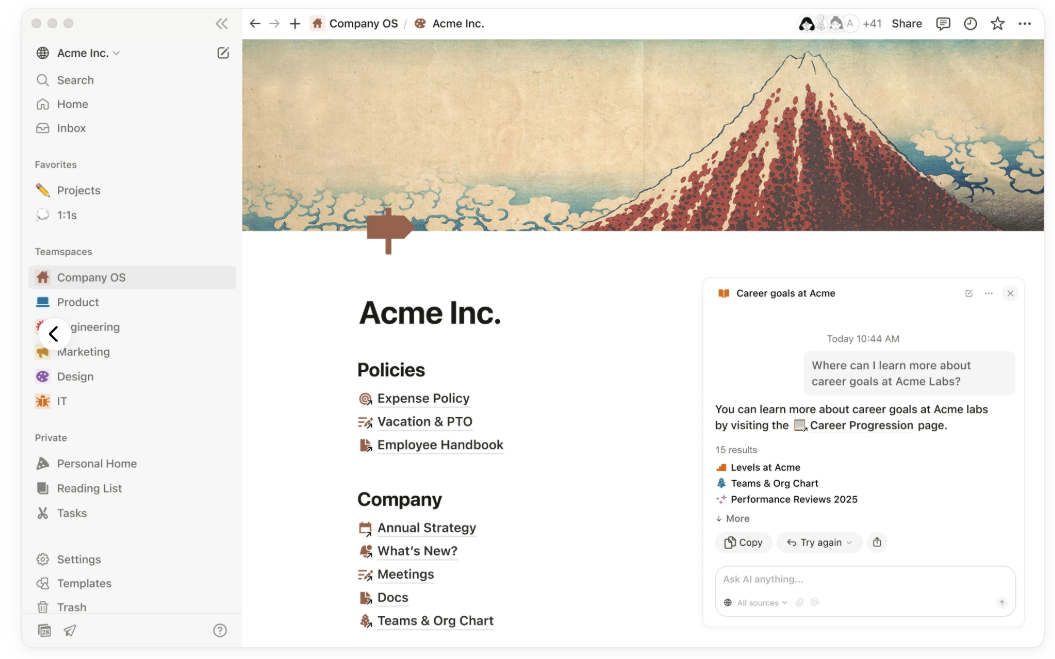
- No native way to diagram a process
- Visuals need a third-party embed that sits outside the page
- The flow lives in the reader's head, rebuilt from paragraphs
- Embedded diagrams drift out of sync with the text beside them
Documenting an SOP
In WorkFlawless an SOP has a dedicated, consistent format and links to the workflow step it supports, so procedures and process stay connected. In Notion an SOP is a freeform page that each person formats their own way, sitting apart from any process it belongs to.
SOPs in a consistent, structured format

- Every SOP follows the same structure, so they read the same across teams
- Link an SOP from the exact workflow step it supports
- One library where the current SOP is easy to find
- Built for procedures, not adapted from a notes tool
SOPs as freeform pages
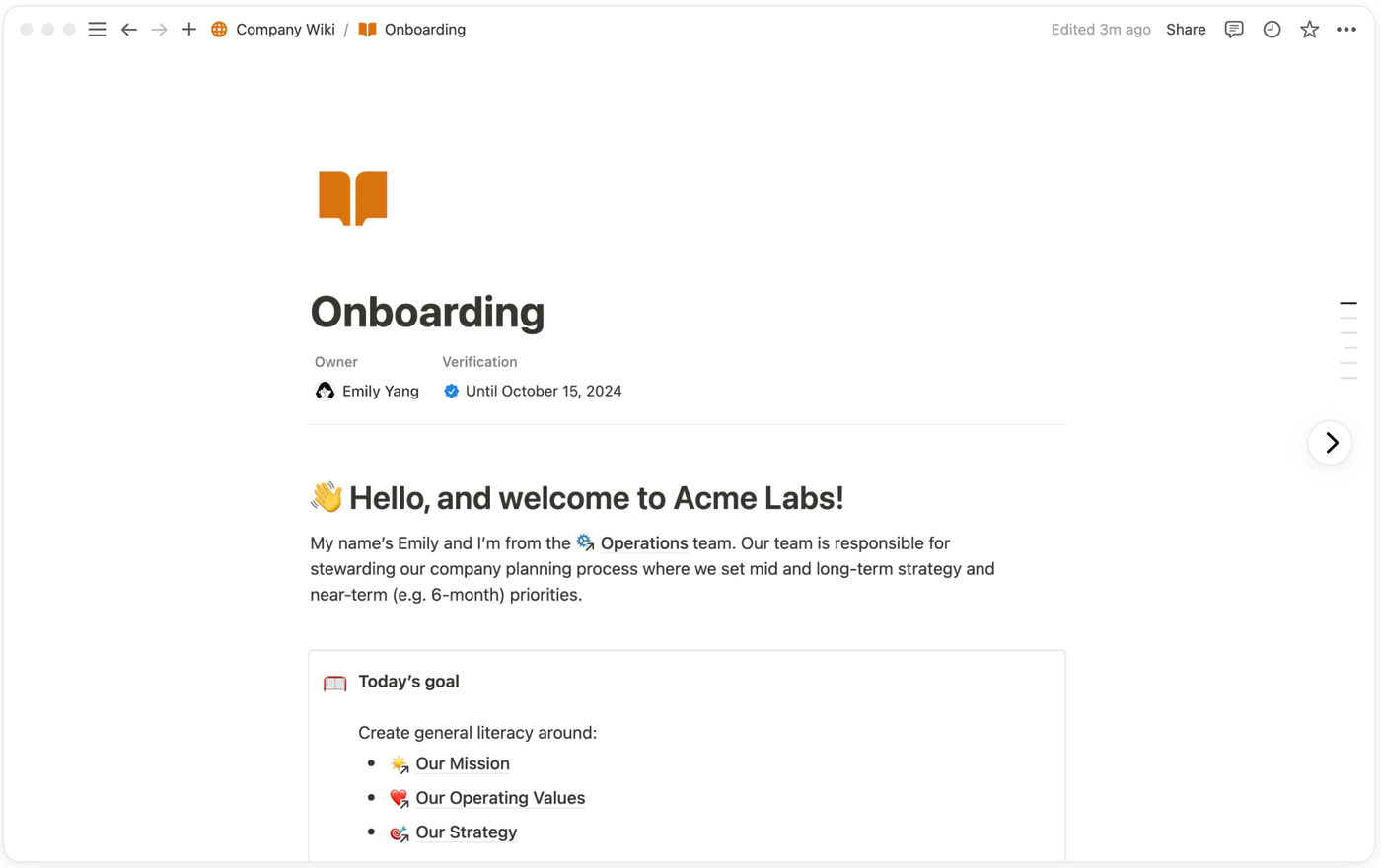
- No SOP structure, so every page is formatted from scratch
- Procedures sit apart from the process they belong to
- SOPs scatter across nested pages with no shared home
- A general workspace asked to act like a procedure tool
Onboarding a new hire
WorkFlawless lets you group the right SOPs and workflows into an onboarding path, so a new hire gets a clear sequence built from the procedures they will actually use. In Notion you hand someone a workspace and a list of links, and they piece the order together themselves.
A structured onboarding path
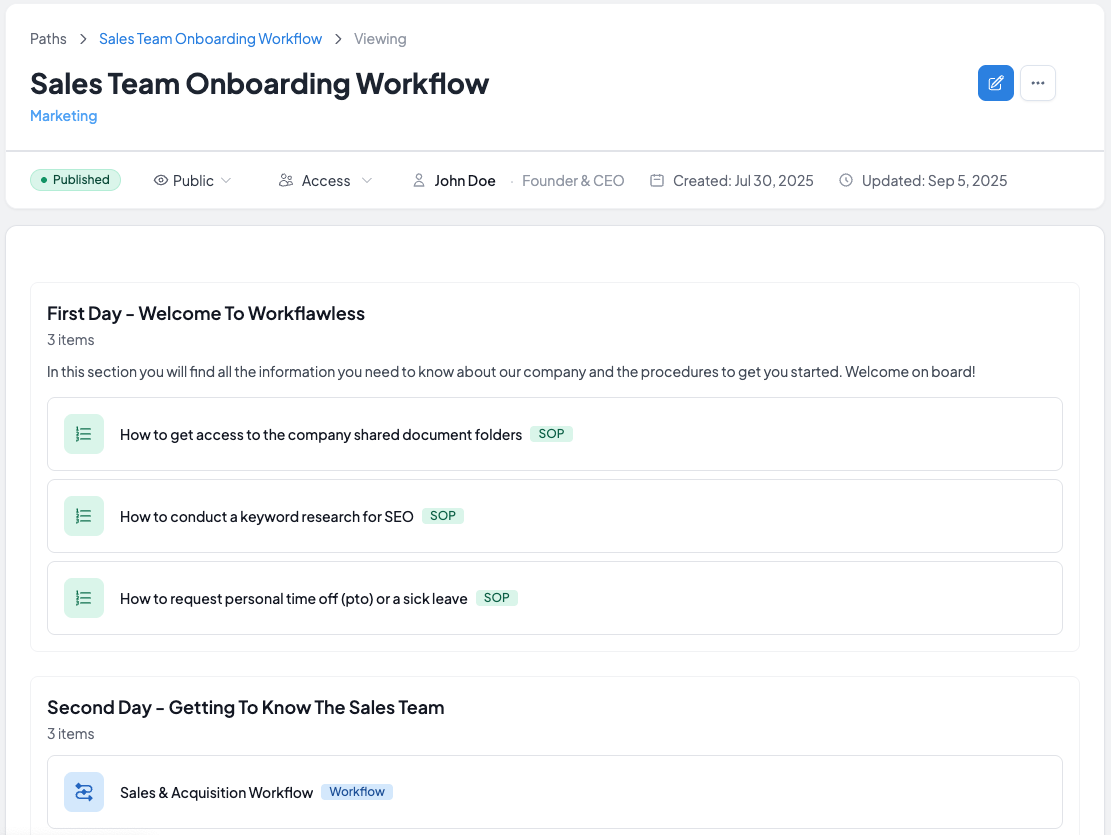
- Group the right SOPs and workflows into a custom onboarding path
- New hires follow a clear sequence instead of a pile of links
- The same path gives every new hire a consistent start
- Onboarding connects directly to the procedures behind the role
A workspace and a list of links
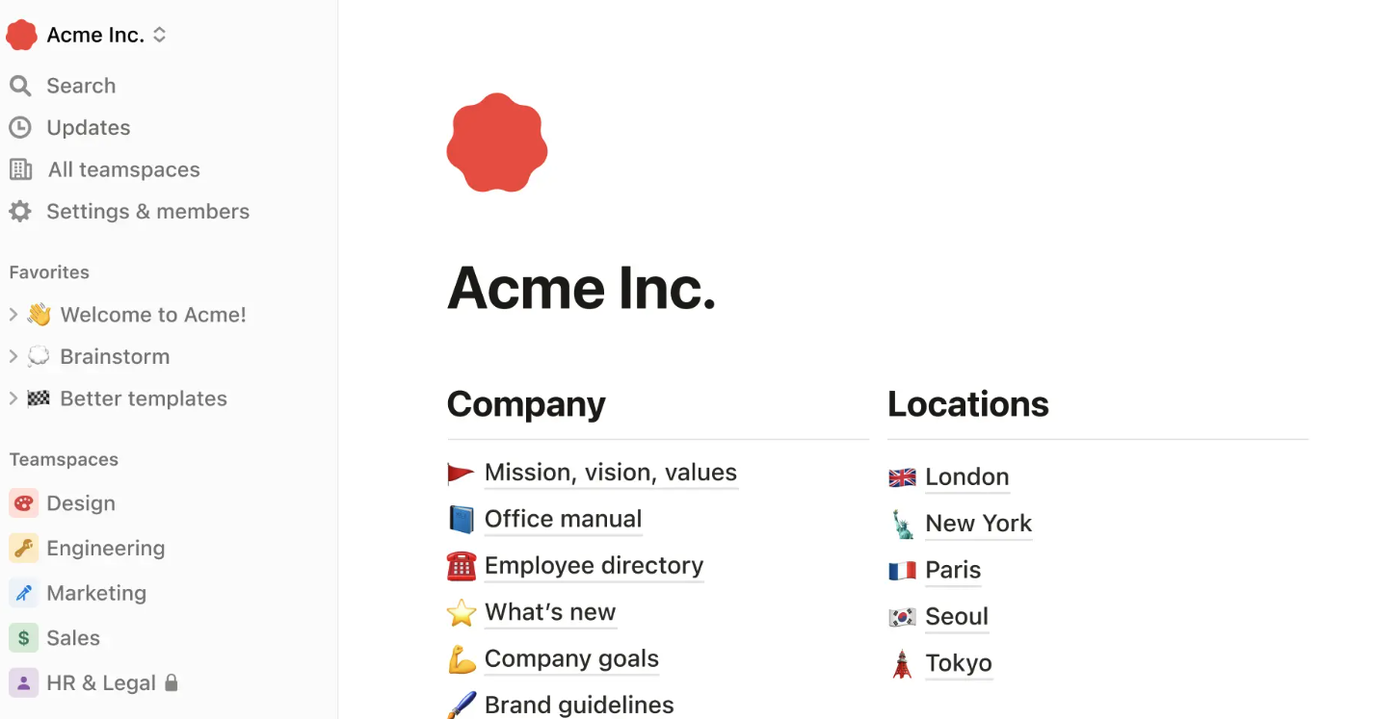
- No native way to sequence pages into a path
- New hires get a wall of links with no clear order
- Each manager assembles onboarding their own way
- Nothing connects onboarding pages to day-to-day procedures
Everything your procedures need in one place
See the whole process at a glance
Build each process as a visual workflow with every step and branch laid out in front of you. The diagram links to the SOPs behind it, so the picture and the detail stay together as one source of truth. Anyone can follow how the work flows without rebuilding it from paragraphs in their head.
Procedures that read the same everywhere
Every SOP follows a consistent format and links to the workflow step it supports. Teams stop inventing their own layouts, so a procedure reads the same whether it came from operations, finance, or support. New joiners always know where to look.
A clear path from day one
Group the right policies, SOPs, and workflows into an onboarding Path tied to a person's team and role. New hires receive exactly what they need to read, so by the end of week one they have worked through the essentials instead of piecing together a list of links. Everyone starts the same way.
Proof your team has read what matters
Mandatory policies and procedures come with a record of who has acknowledged them. When an auditor or client asks whether your team has read the current process, you have the answer on hand. Compliance stops being a scramble at the end of the quarter.
Always know which version is the current one
Procedures change, and WorkFlawless keeps track of that so the approved current version is never in doubt. Instead of duplicate pages piling up with no way to tell which is live, your team always lands on the version they are meant to follow, with the history behind it kept in order.
Turn what you know into a documented procedure faster
Getting a process out of your head and into a clean SOP is the slowest part of documentation. WorkFlawless AI helps you draft and structure procedures quickly, so a rough description becomes a properly formatted SOP you can refine rather than a blank page you have to fill from scratch.
WorkFlawless vs Notion at a glance
| Feature | WorkFlawless | Notion |
|---|---|---|
|
Built for
|
SOPs and process workflows | General-purpose notes, docs, and databases |
|
Visual workflow diagrams
|
Native flowchart builder, links to SOPs | Not native, needs a third-party embed |
|
Standard Operating Procedures
|
Optimized layout and format for consistency | Layout not enforced, creating confusion |
|
Structure
|
Consistent format out of the box | You design and maintain the structure yourself |
|
Version history
|
Versioning built around procedures | Page history |
|
Adoption
|
Embedded into processes, granular and automated | Flexible, which often means inconsistent setups |
An honest comparison
Where WorkFlawless wins
- Built specifically for processes, so workflows and SOPs stay consistent across every team
- Native visual workflows linked to the procedures behind them
- Onboarding Paths that hand new hires the right reading by role
- Automated records of which policies and procedures people have acknowledged
- Procedures live in one structured library instead of scattered pages
Where Notion wins
- Far more flexible for notes, wikis, and freeform documents
- Powerful databases for tracking almost anything you can model
- One workspace that covers many jobs beyond procedures
- A large template library to draw from
- Rich set of built-in features like calendars, kanban boards, and embeds
Switching from Notion? We'll handle the migration for you!
- White-glove onboarding included on Scale and Enterprise plans
- No disruption when changing platform
Frequently Asked Questions
Notion is a flexible workspace for notes, wikis, and databases. WorkFlawless is built specifically for SOPs and the workflows behind them, with a consistent format, visual process diagrams, version history, process adoption mechanism, and much more. The shorter way to say it: Notion stores knowledge, WorkFlawless structures how work gets done.
For SOPs and process workflows, yes. For general notes and wikis, most teams keep Notion and use WorkFlawless for procedures specifically. WorkFlawless is not build for that purpose.
No. Plenty of teams run both, keeping Notion for knowledge and meeting notes while moving their procedures into WorkFlawless, as the two tools serve different purposes.
Templates give you a starting layout, but nothing keeps every team using the same one, and a template does not link a procedure to the process it belongs to or flag which version is current. That structure is built into WorkFlawless rather than something you maintain by hand.
Definitely! You can use our Magic Import functionality that allows us to upload SOP documents and add them in WorkFlawless automatically. If you purchase a Scale or Enterprise plan, we will also assist you with the migration process as part of the plan.
Teams that need procedures followed the same way every time, especially in operations, compliance-heavy, or distributed environments where consistency and a clear single source of truth matter most.
Run your operations like clockwork.
Start in two minutes.
Free 14-day trial · No credit card required · Cancel anytime
competitive advantage!
