Every growing business eventually faces the same challenge: the processes that run your operations exist only in scattered documents, random emails, and the minds of a few key people. When work is invisible, it becomes impossible to improve, delegate, or scale with any consistency.
Business process visualization tools solve this problem by transforming how work actually happens into clear, visual formats that everyone can understand. Instead of lengthy text documents that nobody reads or undocumented knowledge that can easily walk out the door when employees leave, these tools create process flowcharts, diagrams, and interactive maps that show exactly how work flows through your organization.
In this guide, we compare the leading business process visualization tools available today, examining their core features, strengths, limitations, and ideal use cases. If you're a business looking to systematize your operations and seeking to standardize workflows across departments, you'll find options here that fit your requirements and budget.
What Makes a Great Business Process Visualization Tool
Before diving into specific platforms, it's worth understanding what makes an exceptional process visualization tool. The best tools share several key characteristics that determine their practical value for real organizations.
First and most importantly, great tools are genuinely easy to use. If creating a process map requires extensive training, specialized knowledge, or hours of wrestling with the interface, most teams will simply avoid using the tool. The best platforms make creating professional diagrams intuitive enough that anyone can contribute, regardless of their technical background.
Second, effective visualization tools support collaboration. Processes rarely live in isolation; they involve multiple people, departments, and handoffs. Tools that enable real-time editing, commenting, and version control allow teams to work together on process documentation rather than struggling with outdated files scattered across different locations.
Third, the best tools connect visualization to action. A beautiful flowchart that sits in a folder gathering dust provides no value. Platforms that link visual process maps to detailed procedures, assign ownership to specific steps, and integrate with the tools teams already use create living documentation that people actually reference.
Finally, modern tools increasingly leverage AI to reduce the friction of creating process documentation. The blank page problem kills more documentation initiatives than any other factor, and AI-powered generation can provide starting points that teams refine rather than build from scratch.
With these criteria in mind, let's examine the leading options available today.
WorkFlawless
WorkFlawless stands apart in the process visualization landscape by focusing specifically on the connection between visual workflows and actionable documentation. Rather than trying to be a general-purpose diagramming tool, the platform is purpose-built for organizations that need to document how work gets done and ensure that documentation actually gets used.
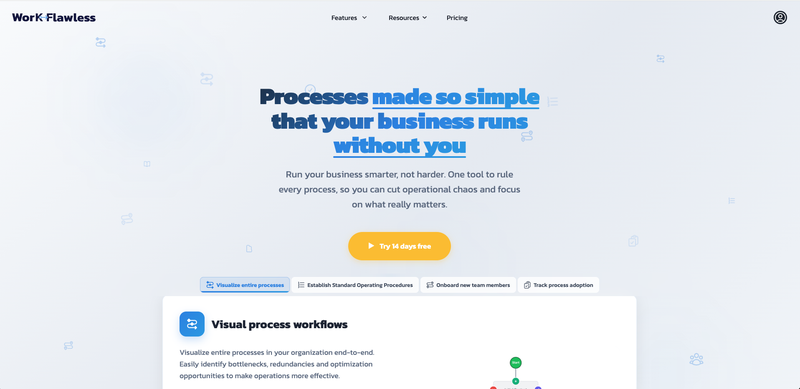
WorkFlawless combines three core capabilities that typically require separate tools: visual workflow mapping, detailed standard operating procedures (SOPs), and structured onboarding paths. The platform's fundamental insight is that these elements work best when connected. A workflow diagram becomes more useful when each step links to the specific procedures someone needs to follow, and onboarding becomes more effective when new hires can see where specific training fits within larger processes.
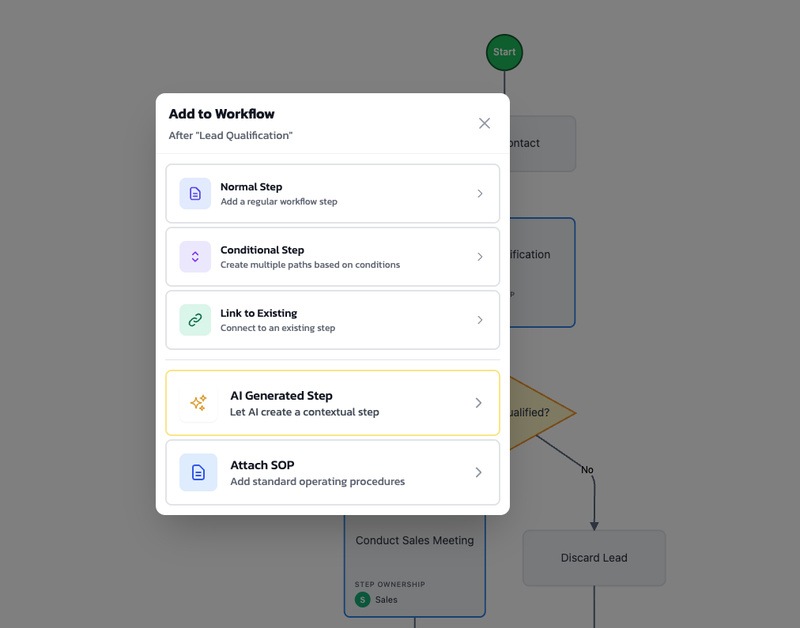
The visual workflow builder transforms complex business processes into intuitive, interactive flowcharts where responsibilities and dependencies are immediately clear. These aren't static images but living documents where each step can contain rich detail, ownership assignments, labels, and direct links to related SOPs.
What truly distinguishes WorkFlawless is its AI-powered generation capability. Users can describe their business processes in plain language, and the AI creates properly structured diagrams with decision points, branches, and logical flow. The same applies to SOPs: describe what needs to be documented, and the AI generates comprehensive procedures that teams can then customize to their specific needs. This approach reduces documentation time by up to 90% compared to starting from scratch.
Key Features
The interactive workflow builder lets teams create professional process diagrams without any design skills. The interface is deliberately straightforward, allowing even non-technical users to map processes within minutes rather than hours. Steps can be assigned to specific owners, labeled for categorization, and connected to show how work flows between people and departments.
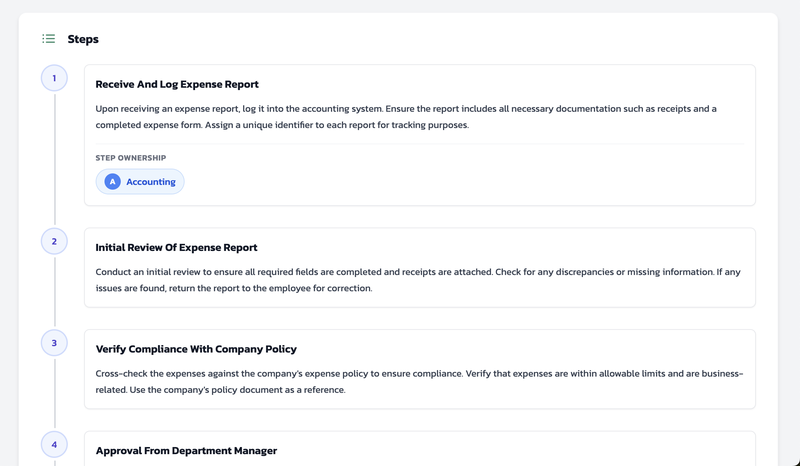
The SOP system creates detailed, step-by-step instructions that ensure consistent execution across the organization. The centralized SOP repository with built-in version control eliminates the problem of scattered documentation, while team-specific organization ensures the right people can access the right information.
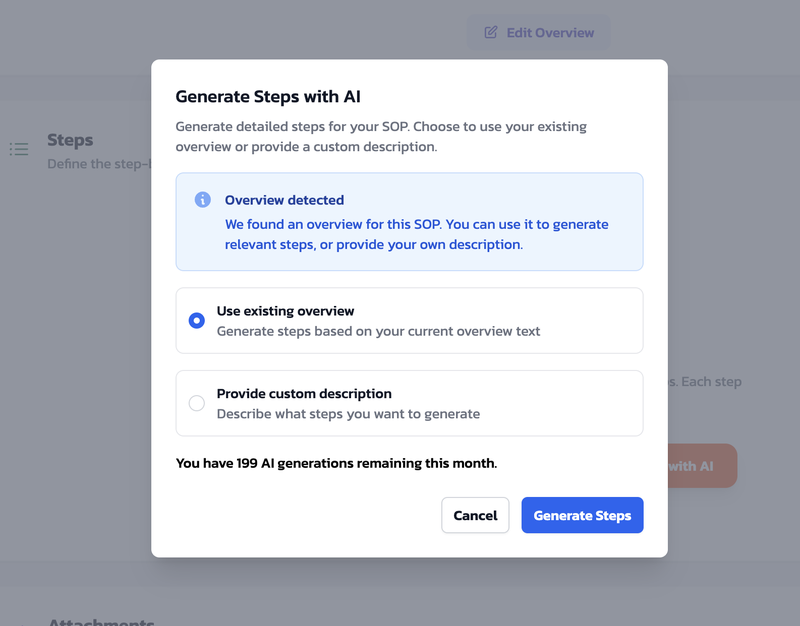
AI generation capabilities extend across both workflows and SOPs. The system creates complete documentation from simple prompts, including all steps, requirements, and best practices based on industry standards. Every generated workflow and SOP can be fine-tuned to match exact specifications, allowing teams to tweak specific steps, add company-specific details, or adjust formatting without starting over.
The Paths feature transforms employee onboarding by combining workflows and SOPs into customized learning sequences. Instead of spending weeks creating training programs, managers can assemble existing documentation into structured paths that new hires follow at their own pace. Progress tracking shows who has completed which elements, ensuring compliance and identifying where people might need additional support.
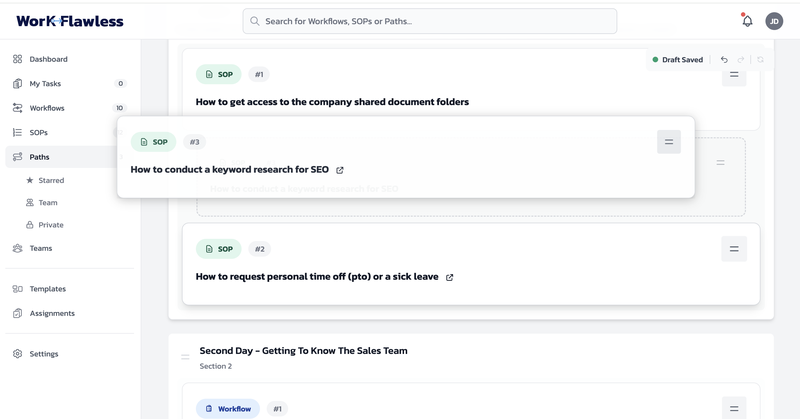
Version history preserves every update without deleting previous versions, allowing teams to roll back changes or see how processes have evolved over time. Reading acknowledgment tracking lets organizations register which users have read and understood any workflow or SOP, creating accountability for process adoption.
What WorkFlawless stands out for
WorkFlawless excels at bridging the gap between knowing you need process documentation and actually having it. The AI generation removes the biggest obstacle most organizations face: the overwhelming prospect of documenting dozens or hundreds of processes from scratch. With WorkFlawless, teams describe what needs documenting in plain language and receive a professional starting point within seconds.
The platform's integrated approach is equally valuable. Most process visualization tools stop at the diagram, leaving teams to maintain separate documents for detailed procedures and training materials. WorkFlawless connects these elements naturally, so clicking a workflow step takes you directly to the relevant SOP, and onboarding paths pull from documentation that's already maintained for operational use. This creates a comprehensive documentation ecosystem that keeps all your company's processes together in a logical, seamless way.
Lucidchart
Lucidchart has established itself as one of the most widely used diagramming platforms in the market. The platform offers comprehensive diagramming capabilities that extend well beyond process mapping into technical diagrams, organizational charts, and virtually any visual format teams might need.
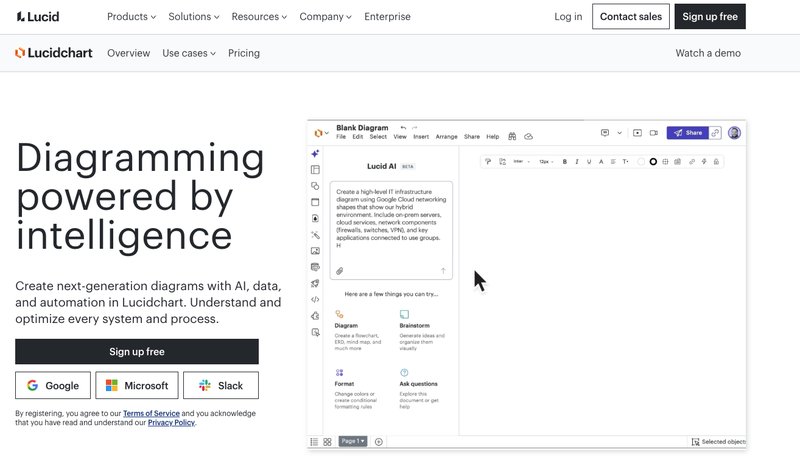
Lucidchart is a cloud-based diagramming application designed for visualizing systems, processes, and organizational structures with clarity and efficiency. The platform emphasizes real-time collaboration, allowing multiple team members to work simultaneously on the same document with all edits updating instantly.
The extensive shape libraries and customizable templates make creating detailed process maps accessible to users at any skill level. Lucidchart supports industry-standard notations including BPMN 2.0 for business process modeling, UML for software design, and specialized symbols for network architecture, database design, and more.
Where Lucidchart particularly shines is in its integration ecosystem. The platform connects with Microsoft 365, Google Workspace, Slack, Jira, Confluence, and dozens of other tools that teams already use daily. This integration capability makes Lucidchart particularly valuable for organizations with established technology stacks who need their process documentation to live alongside other work.
Key Features
The drag-and-drop editor provides an intuitive interface that requires minimal training. Users can start from blank canvases or leverage pre-built templates across different categories.
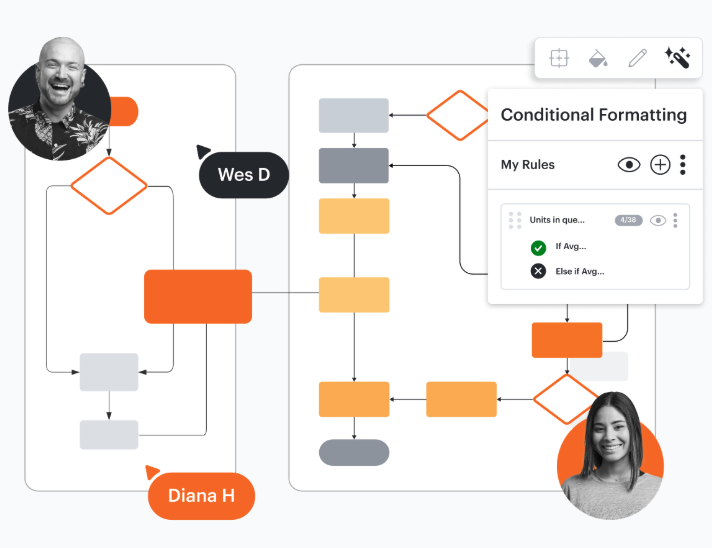
Real-time collaboration enables teams to work together regardless of location. Multiple editors can contribute simultaneously, with changes appearing instantly for all participants. Comment threads, cursor tracking, and presence indicators keep everyone coordinated during collaborative sessions.
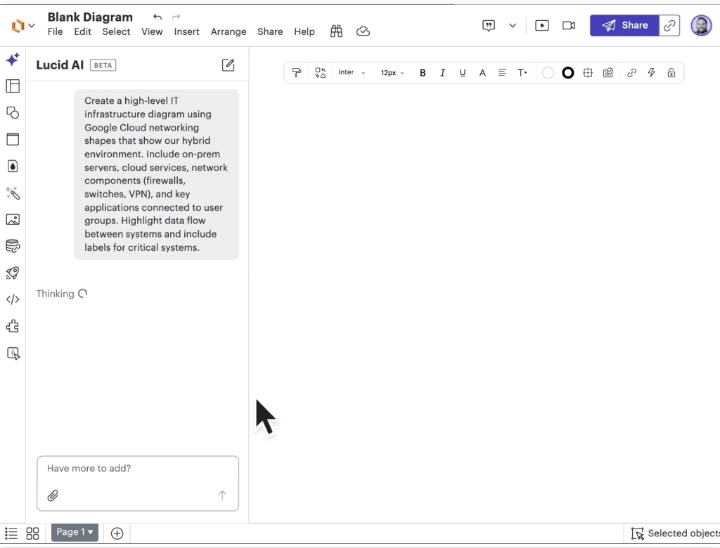
The AI-powered diagramming features can generate diagrams from text descriptions, automatically format layouts, and suggest improvements to existing documents. While not as focused on process documentation specifically as some alternatives, these capabilities reduce the manual effort required for diagram creation.
What Lucidchart stands out for
Lucidchart's greatest strength is versatility. The platform handles nearly any diagramming need competently, from simple flowcharts to complex technical architecture documents. Organizations that need a single tool for multiple visualization purposes will appreciate this breadth.
The enterprise features and integration ecosystem also distinguish Lucidchart. For large organizations already using Microsoft or Google productivity suites, the seamless connectivity makes process diagrams accessible within existing workflows rather than requiring context-switching to separate applications.
Microsoft Visio
Microsoft Visio remains the traditional choice for process mapping, particularly within organizations already invested in the Microsoft 365 ecosystem. As a professional diagramming tool with decades of development behind it, Visio offers depth of functionality that newer alternatives sometimes lack.
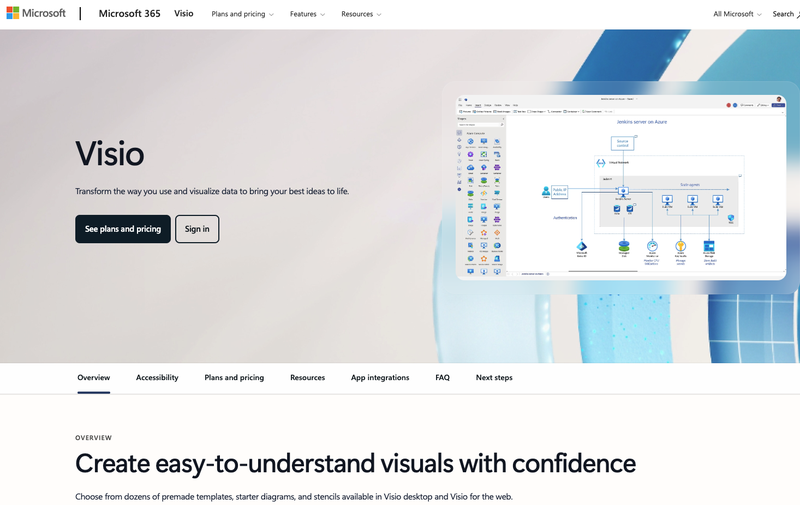
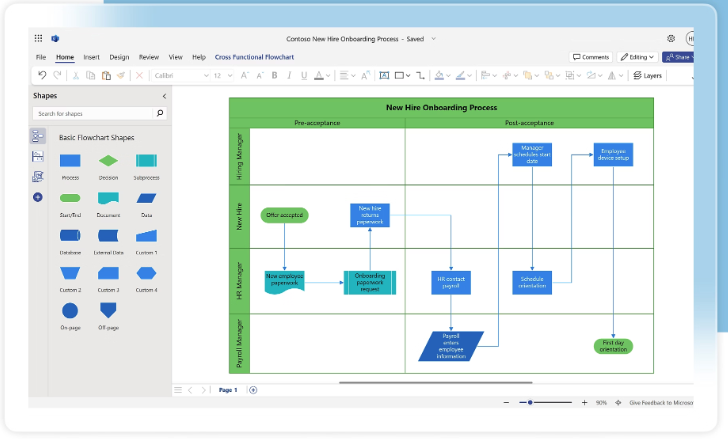
Visio is Microsoft's dedicated diagramming and process visualization solution, designed to create everything from simple flowcharts to complex engineering schematics. The platform is available both as a cloud-based web application and as a desktop application with more advanced capabilities.
The tool's strength lies in its extensive template and stencil libraries, which cover virtually every diagramming need across industries. Whether documenting business processes, designing network architecture, creating floor plans, or mapping software systems, Visio provides specialized shapes and formatting options.
Integration with the broader Microsoft ecosystem means Visio diagrams work seamlessly with Excel data, embed naturally in PowerPoint presentations, and store securely in SharePoint and OneDrive. For organizations standardized on Microsoft 365, this native compatibility eliminates friction that might exist with third-party tools.
Key features
The shape and template library includes thousands of specialized symbols for business processes, network diagrams, engineering drawings, floor plans, and more. Industry-standard notations including BPMN 2.0, UML 2.5, and IEEE are fully supported with proper validation.
Data connectivity allows diagrams to link with Excel spreadsheets, SharePoint lists, SQL Server databases, and other data sources. Changes in source data can automatically update linked diagrams, keeping visualizations current without manual intervention.
Collaboration capabilities have improved significantly in recent versions, with real-time co-authoring available through the web application and Teams integration. Multiple users can edit simultaneously, though some advanced features remain exclusive to the desktop application.
Professional formatting tools provide precise control over layouts, alignments, and visual styling. The automatic spacing, alignment guides, and snap-to-grid functionality help create polished, professional diagrams even without design expertise.
What Visio stands out for
Visio's primary advantage is depth of functionality for complex, technical diagramming needs. Organizations that require precise control over diagram elements, need to work with engineering file formats, or have specialized documentation requirements will find capabilities in Visio that simpler tools lack.
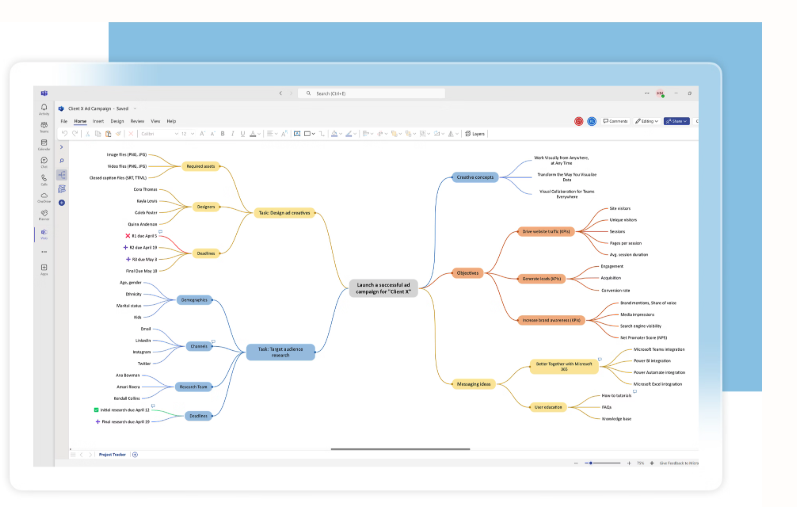
The Microsoft ecosystem integration is equally significant for organizations already using Microsoft 365 extensively. Native compatibility means less friction, better security integration, and familiar interfaces for users already comfortable with Microsoft products.
Miro
Miro has emerged as a leading visual collaboration platform that extends well beyond traditional diagramming into whiteboarding, brainstorming, and team workshops. While not a dedicated process mapping tool, its flexibility makes it popular for teams that want to combine process visualization with broader collaborative work.
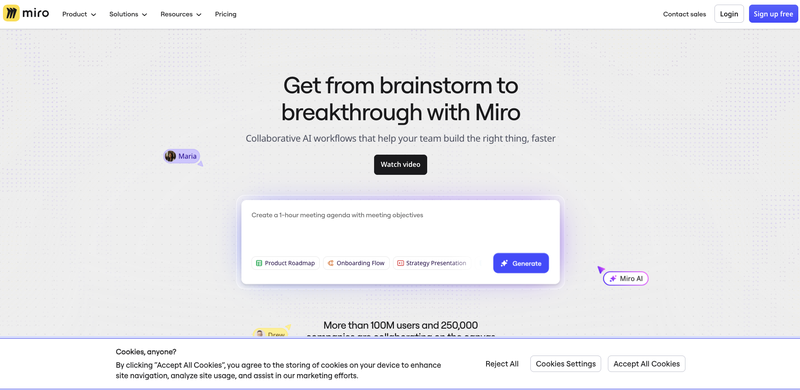
Miro describes itself as an innovation workspace, providing an infinite canvas where teams can brainstorm, plan, design, and collaborate visually. The platform supports process mapping through dedicated shape packs and templates, but its real strength is enabling the creative, collaborative work that often precedes formal process documentation.
The approach differs fundamentally from traditional diagramming tools. Where Visio or Lucidchart emphasize precision and standardization, Miro prioritizes flexibility and collaboration. Teams can sketch rough process ideas on sticky notes, refine them through discussion, and eventually formalize them into proper flowcharts, all within the same workspace.
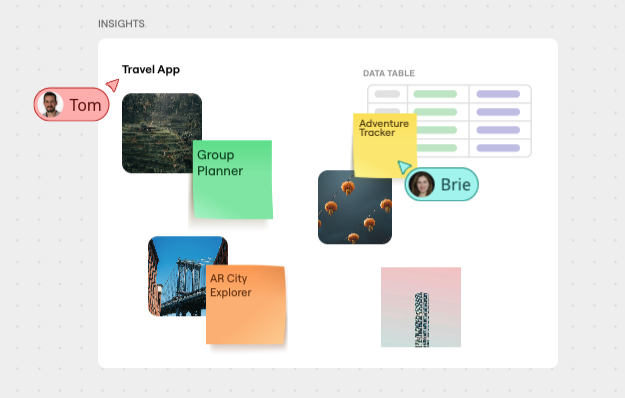
Real-time collaboration is central to Miro's design. Multiple participants can work simultaneously, with cursor tracking showing where everyone is working. Video conferencing integration allows teams to collaborate on the canvas while speaking face-to-face, making Miro particularly valuable for remote and distributed teams.
Key features
The infinite canvas provides unlimited space for organizing work, allowing teams to create process maps alongside brainstorming sessions, meeting notes, and project planning materials. Related content can be grouped and organized spatially rather than separated into different files.
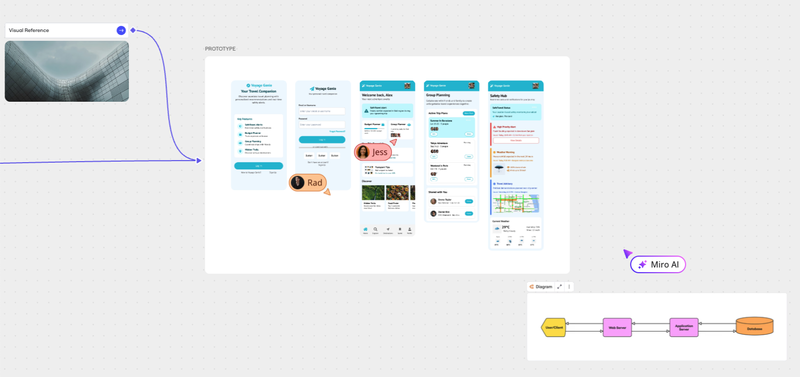
Dedicated diagramming mode offers streamlined tools specifically for creating flowcharts, BPMN diagrams, and other structured visualizations. Shape packs include standard symbols for flowcharts, value stream mapping, swimlane diagrams, and more.
AI-powered features can generate diagrams from text descriptions, helping teams quickly visualize ideas without manual drawing. The AI can also organize sticky notes, summarize content, and suggest connections between elements.
Template library includes hundreds of pre-built frameworks for process mapping, strategic planning, agile workflows, and other common use cases. These templates provide starting points that teams customize to their specific needs.
Interactive presentation mode allows teams to walk through boards as presentations, zooming into specific areas and following predetermined paths. This makes Miro useful for process documentation that needs to be communicated to stakeholders.
What Miro stands out for
Miro excels at the messy, collaborative, creative work that often precedes formal process documentation. For teams that need to discover and refine processes through discussion rather than simply document known workflows, Miro provides a more natural environment than rigid diagramming tools.
The platform is also exceptional for remote collaboration. The real-time features, video integration, and intuitive interface make distributed teams feel like they're working together in the same room, even when separated by time zones.
Pricing includes a free tier with unlimited boards but limited functionality. Starter plans begin at approximately $8 per user per month, with Business and Enterprise tiers offering additional features for larger organizations.
draw.io (diagrams.net)
draw.io, also known as diagrams.net, offers a completely free, open-source diagramming solution that rivals paid alternatives in functionality. For organizations that want capable process mapping without recurring subscription costs, draw.io provides a compelling option.
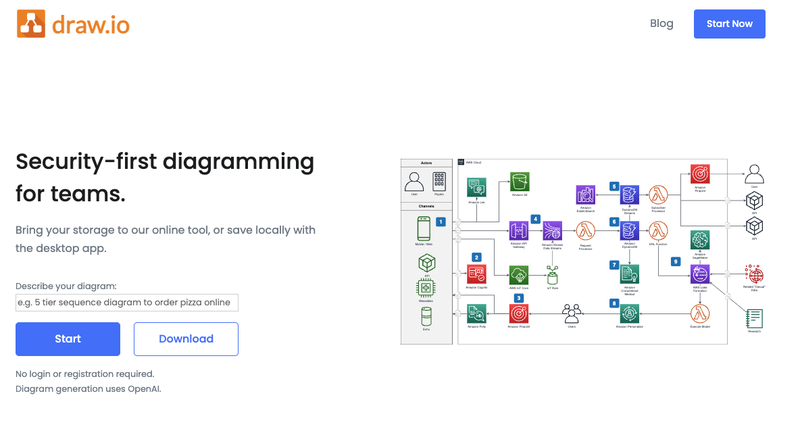
draw.io began as a free alternative to expensive diagramming software and has evolved into a fully-featured platform used by millions globally. The tool runs entirely in the browser with no software installation required, though desktop applications are also available for offline work.
The platform integrates directly with cloud storage services including Google Drive, OneDrive, Dropbox, and GitHub, allowing users to save diagrams wherever they already store files. For organizations using Atlassian products, draw.io offers native integration with Confluence and Jira.
Despite being free, draw.io provides extensive functionality including hundreds of shapes, templates, and formatting options. The open-source nature means the platform continues to develop through community contributions while remaining accessible to everyone.
Key features
The comprehensive shape library includes symbols for flowcharts, network diagrams, UML, BPMN, and many other standards. Users can also import custom shapes or create their own.
Cloud storage integration allows diagrams to save directly to Google Drive, OneDrive, Dropbox, or other services. No separate account is required; the application uses existing cloud credentials.
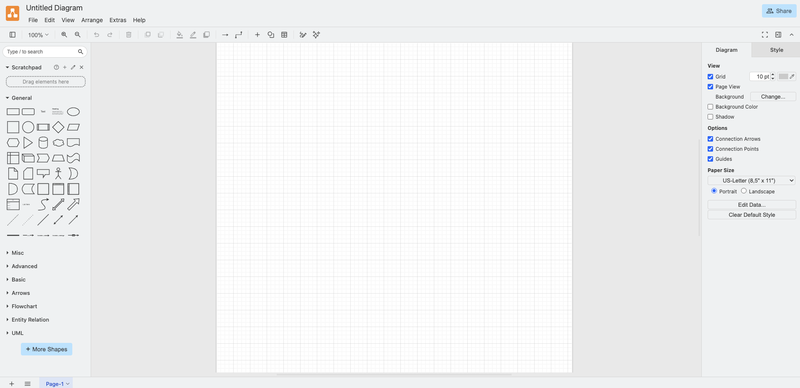
Offline capability through the desktop application enables work without internet connectivity. Diagrams sync when connectivity is restored.
Collaboration is available through the cloud storage platforms' native sharing capabilities. Multiple users can access and edit diagrams, though real-time simultaneous editing depends on the storage platform used.
Import and export options include Visio files, various image formats, PDF, and more. This makes migration from other tools straightforward.
Privacy focus means diagrams are stored only where users choose, with no data sent to draw.io servers. For organizations with strict data residency requirements, this provides important control.
What draw.io stands out for
The obvious standout is price: draw.io is completely free with no premium tiers, no feature gates, and no user limits. Organizations can deploy it to their entire workforce without any subscription costs.
The privacy model also distinguishes draw.io. Because diagrams store in users' own cloud services, organizations maintain complete control over where their data resides. No vendor has access to the diagrams being created.
For users of Atlassian products, the native Confluence and Jira integration makes draw.io particularly valuable. Diagrams can be created and edited directly within Confluence pages, keeping process documentation alongside other technical content.
Choosing the right tool for your needs
The ideal process visualization tool depends entirely on what you're trying to accomplish and the context in which you're working.
If your primary goal is documenting business processes with detailed SOPs that people will actually follow, WorkFlawless provides the most integrated solution. The direct connection between visual workflows and step-by-step procedures eliminates the gap that typically exists between process diagrams and operational documentation. The AI generation capability also makes WorkFlawless particularly valuable for organizations that need to document many processes quickly without dedicated documentation staff.
If you need a general-purpose diagramming tool that handles everything from flowcharts to network architecture, Lucidchart offers the breadth and depth to serve as your single visualization platform. The enterprise features and extensive integration ecosystem make it particularly suitable for larger organizations with diverse diagramming needs.
If your organization is heavily invested in Microsoft 365 and values native integration above all else, Visio provides the most seamless experience. The depth of functionality for technical diagramming also makes Visio compelling for engineering and IT teams with specialized requirements.
If your work involves significant collaboration, brainstorming, and creative discovery, Miro's flexible canvas and real-time features provide an environment better suited to that work style than traditional diagramming tools. The ability to move fluidly between rough sketches and formal diagrams within the same workspace supports iterative process development.
If you want to combine process visualization with broader data and knowledge management, Creately's visual database approach provides unique capabilities. The automatic data linking creates living documentation that stays current without manual updates.
If budget is the primary constraint and you need capable diagramming without any cost, draw.io delivers surprising functionality for free. The privacy-focused architecture also makes it attractive for organizations with strict data handling requirements.
Whatever tool you choose, the goal remains the same: transform the invisible work happening across your organization into visible, shareable, improvable documentation that everyone can understand and follow. The tools enable this transformation, but only consistent practice achieves it.
